GitHub for GitHub

Team Timesheets
from Commits, PRs & Reviews

AI-Generated Timesheets from Your GitHub Activity

CodeClocker's GitHub App turns commits, pull requests, and code reviews into weekly team timesheets. Developers review, managers approve, finance exports — no manual time logging needed.
CodeClocker Dashboard for GitHub

Why Teams Using GitHub Love CodeClocker

  • Timesheets from Commits: Every push to GitHub feeds into your weekly timesheet automatically — no manual time entry required.
  • Pull Request Tracking: Time spent on PRs, code reviews, and branch work is captured and attributed to the right project.
  • Works with Any Language: Python, JavaScript, Go, Rust, Java — if it's on GitHub, CodeClocker tracks it.
  • Team Approval Workflow: Developers submit, managers approve with one click. A simple weekly cadence that keeps everyone accountable.
  • Evidence-Backed Hours: Every timesheet entry linked to Git commits, branches, and PRs — verifiable proof of work.
  • Export for Billing: CSV and PDF exports of approved timesheets for client invoicing and accounting.

Features for GitHub Teams

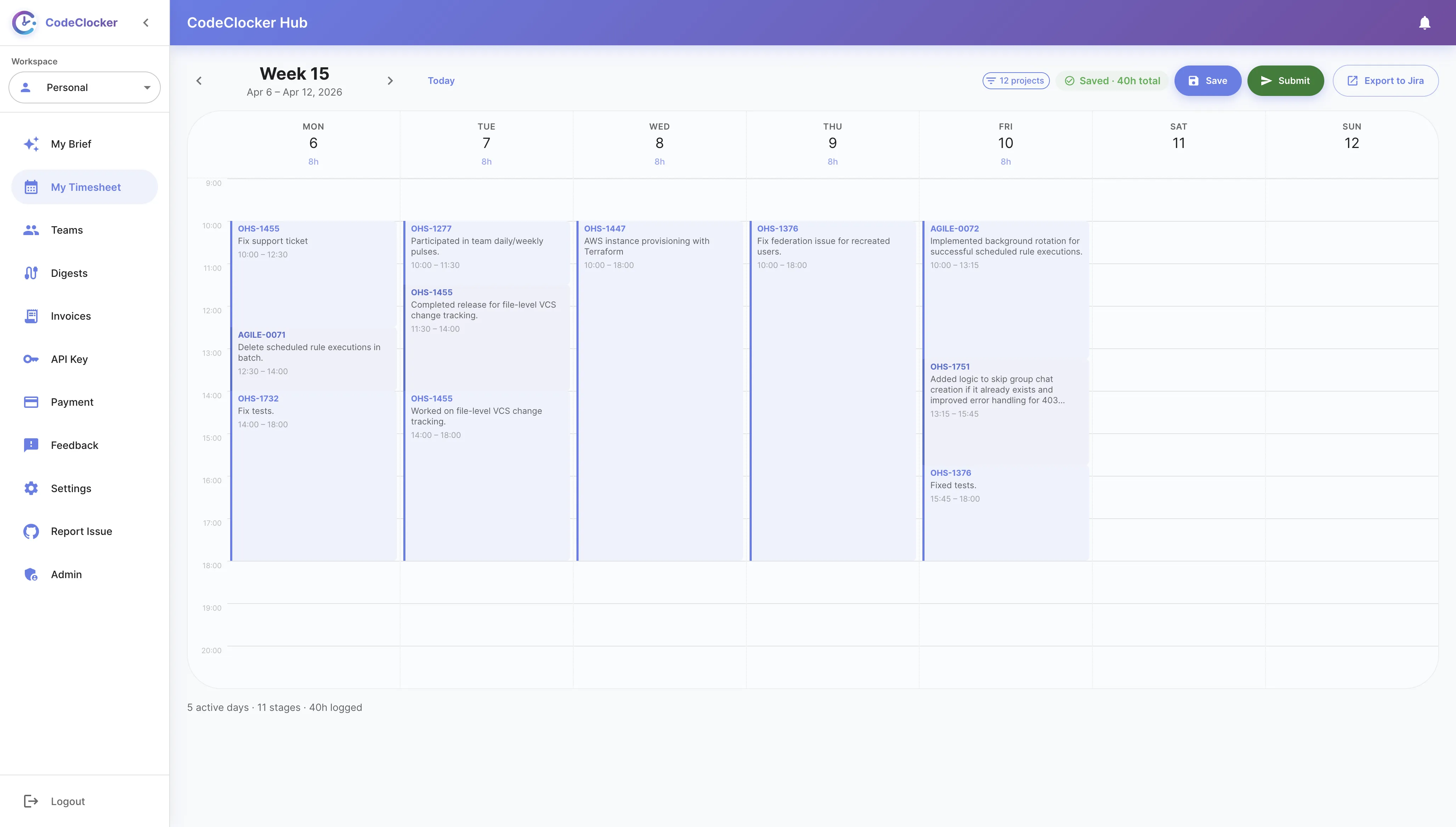
Auto-Generated Team Timesheets

Your GitHub commits, pull requests, and code reviews are automatically captured and organized into weekly timesheets. Review, adjust, and submit — managers approve with one click.

  • Auto-tracked from GitHub activity
  • Weekly submit & approve flow
  • Per-project hour breakdown
  • Linked to commits, PRs, and branches
CodeClocker Team Timesheets for GitHub

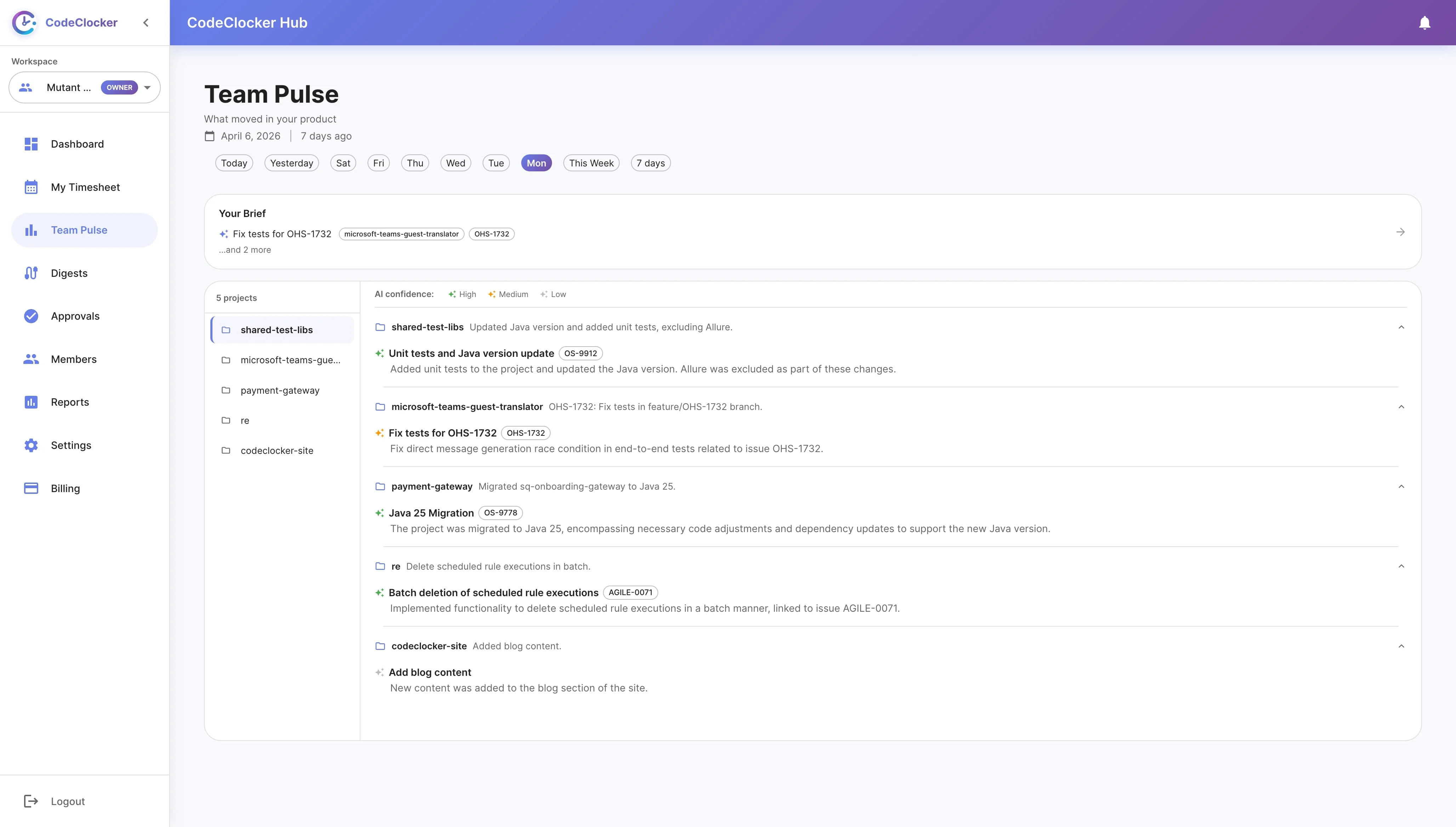
AI-Powered Team Awareness

Managers see real-time coding activity across the team. Track who's working on what, monitor hours by project, and spot trends — all without interrupting developers.

  • Real-time team activity view
  • Per-member project breakdown
  • Coding trend analysis
  • Enable or disable per team
CodeClocker AI-Powered Team Awareness

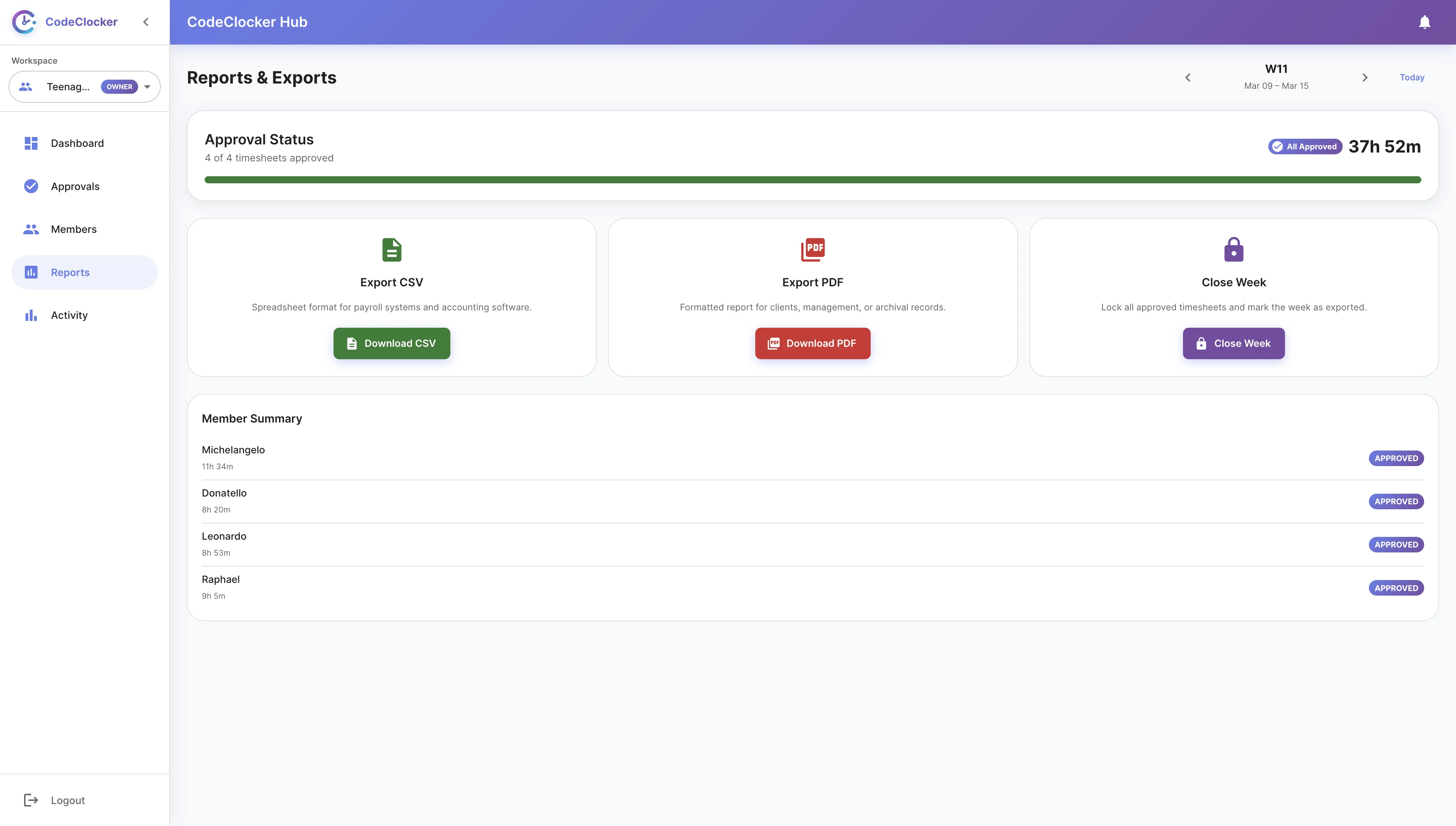
Export & Invoicing

Export approved team timesheets to CSV or generate PDF invoice packs with proof of work. Compatible with any accounting tool.

  • One-click CSV export
  • PDF invoices with commit evidence
  • Client-ready reports
  • Compatible with QuickBooks, Xero, etc.
CodeClocker Export & Invoicing

Get Started with GitHub

01

Install the GitHub App

Go to the GitHub Marketplace, find CodeClocker, and install it on your organization or personal repos.

02

Code as Usual

Push commits, open pull requests, review code — CodeClocker captures everything per project and branch automatically.

03

Review Your Timesheet

Each week, your timesheet is auto-generated on CodeClocker Hub from your GitHub activity. Review, adjust, and submit.

04

Approve & Export

Managers approve timesheets with one click and export to CSV or PDF for billing.

Ready to Automate Your Team's GitHub Timesheets?

Install the GitHub App and generate your first timesheet in minutes