AI-Generated Weekly Timesheets from Your Actual Git Activity
CodeClocker analyzes your commits, branches, and IDE activity, then uses AI to generate a filled-out weekly calendar timesheet. No timers to start, no hours to guess, no manual entry. Just code — and your timesheet is ready.
Three steps. Zero manual time entry.
Install the JetBrains plugin and work as usual. It silently captures your coding sessions, branch switches, and commits in the background. No timers to start, no buttons to click.
CodeClocker's AI groups your git activity into meaningful work stages — matching related commits, extracting Jira ticket keys from branch names, and summarizing what you actually did in plain language.
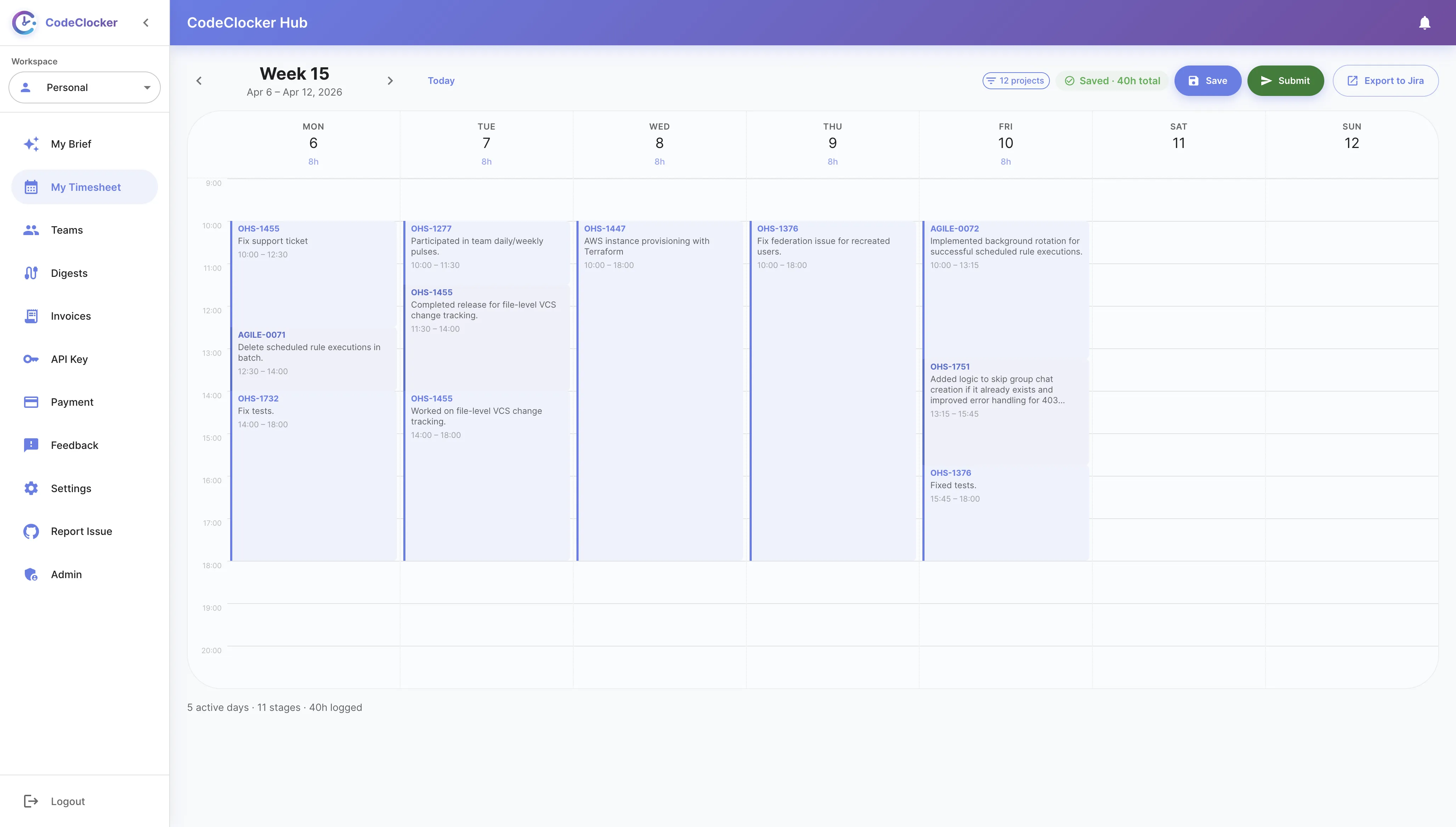
Your weekly calendar fills itself with AI summaries. Review the AI draft, adjust if needed, and submit. The whole review takes about 30 seconds.
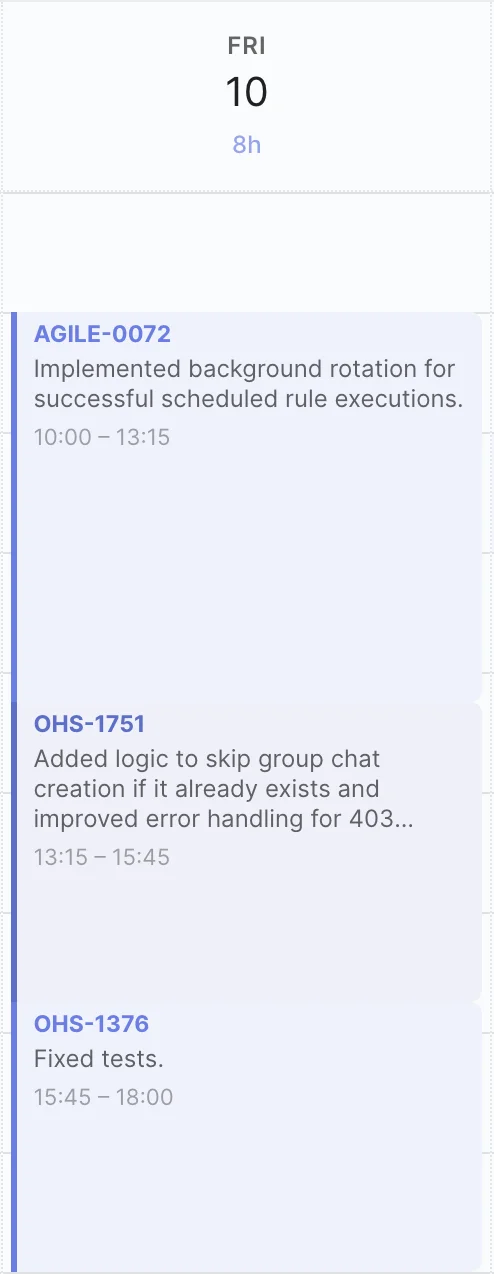
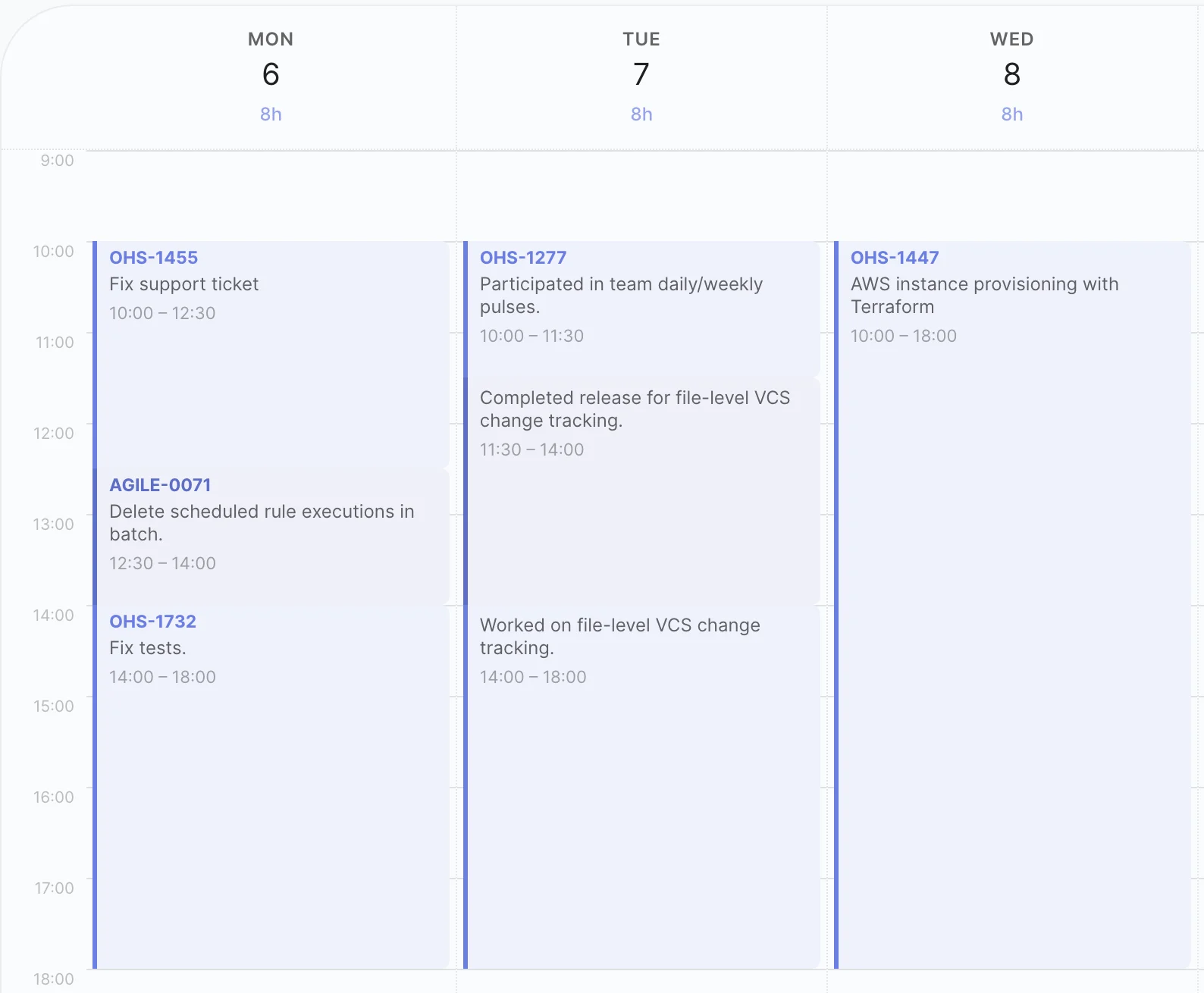
Your raw git activity — commits, branch switches — gets transformed into a clean weekly calendar. The AI groups related work together, extracts ticket keys from branch names and commit messages, and assigns proportional time based on actual coding effort.
Unlike simple time trackers that create a new entry for every branch switch, CodeClocker's AI understands context. It groups related commits across branches into a single stage, recognizes when a bug fix and its tests are the same task, and consolidates your day into 2 to 5 meaningful stages — not 15 fragmented entries.
The AI distributes your work proportionally across standard working hours — 10:00 to 18:00. Every minute is accounted for with no awkward gaps and no overlaps. Your calendar looks exactly like a real workday because it is based on one. Managers and clients see a clean, professional timesheet that reflects genuine effort.
See how AI-generated timesheets compare to traditional approaches
| Capability | Spreadsheets | Toggl / Harvest | CodeClocker AI |
|---|---|---|---|
| Developer effort per week | 15–30 min | 5–10 min | ~30 sec |
| Accuracy | Low (memory) | Medium (timers) | High (git-based) |
| Linked to commits & branches | × | × | ✓ |
| Jira / ticket key extraction | × | × | Automatic |
| AI-powered work summaries | × | × | ✓ |
| Continuous calendar view | × | × | ✓ |
| Team approval workflow | × | Partial | ✓ |
| Invoice-ready export (CSV & PDF) | × | ✓ | ✓ |
It analyzes your git commits, branch names, and IDE activity. If your branch is named feature/CC-142-auth-refresh, the AI extracts the ticket key and uses commit messages to summarize the work.
Yes. The AI draft is private to you — only you can see it until you review and submit it. You can adjust time blocks, rename stages, or add non-coding work like meetings before submitting. Most developers find the AI draft accurate enough that they submit with little or no changes.
The AI still works — it generates summaries from commit messages regardless. Ticket keys are extracted automatically when they appear in branch names or commit messages, but they are not required. You will still get meaningful work stage descriptions either way.
Currently CodeClocker supports all JetBrains IDEs — IntelliJ IDEA, PyCharm, WebStorm, GoLand, PhpStorm, Rider, CLion, DataGrip, RubyMine, Android Studio, and more. VS Code support is on the roadmap.
No. Only commit metadata — messages, branch names, and timestamps — is sent for analysis. Your actual source code never leaves your machine. The AI works entirely from git metadata to generate timesheet entries.
The AI generates timesheets from coding activity, which typically covers 80% or more of a developer's day. For meetings, design sessions, or other non-IDE work, you can add entries manually during the review step before submitting.
Install the free plugin and let AI handle your timesheets