Time Tracking
for JetBrains IDEs

CodeClocker automatically tracks time spent on each project, file, and language. Gain insights into your productivity without lifting a finger.

1K+ Active Users
100K+ Hours Tracked
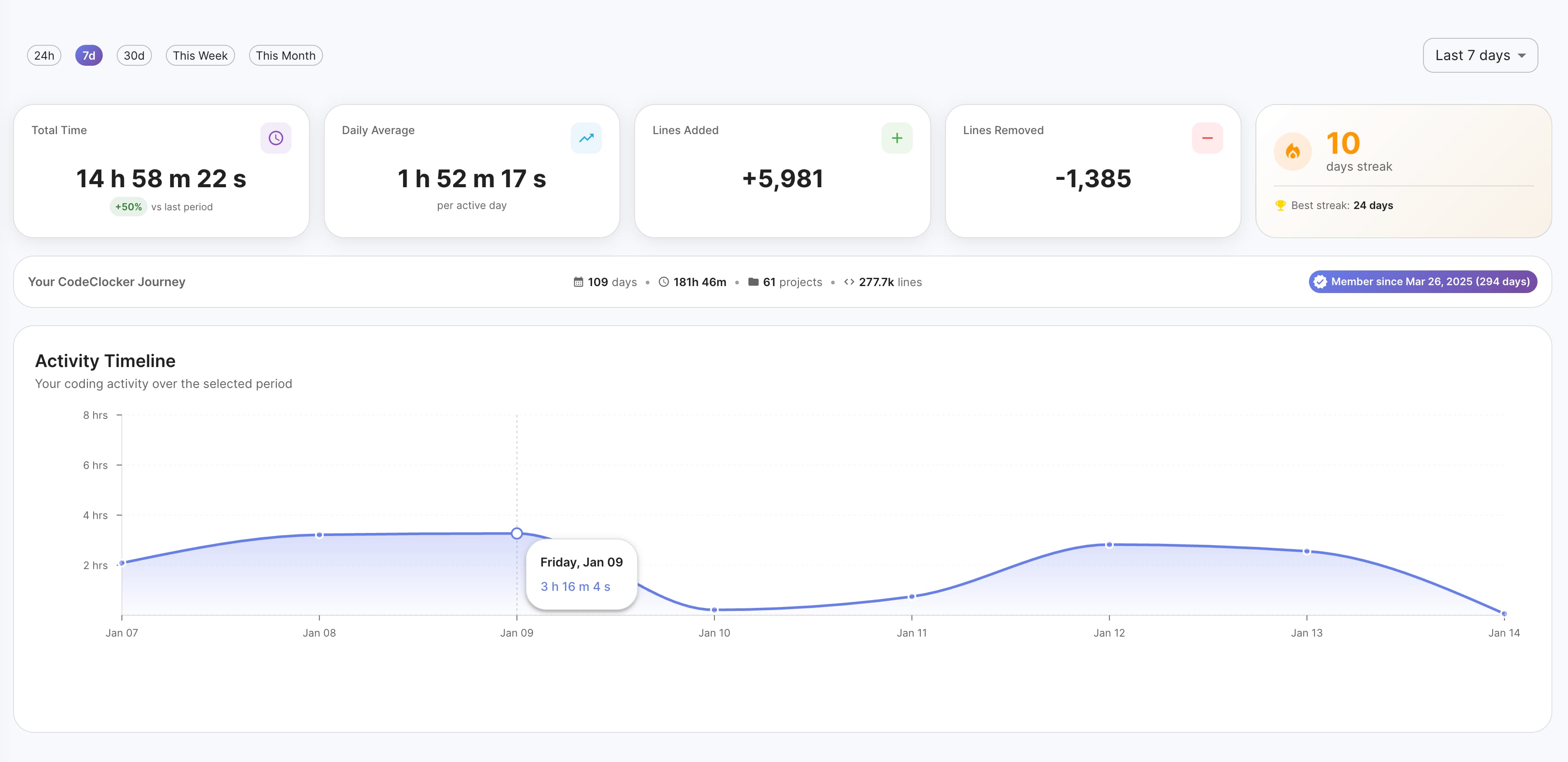
CodeClocker Dashboard

Everything You Need to Track Your Time

Powerful features designed for developers who want to understand and optimize their coding habits

Automatic Time Tracking

No manual timers needed. CodeClocker detects when you're coding and tracks time automatically.

Detailed Analytics

Visualize your coding patterns with beautiful charts. Daily, weekly, and monthly breakdowns.

Per-Project Insights

Track time across all your projects. Know exactly where your development hours go.

Zero Performance Impact

Lightweight and optimized. CodeClocker runs silently without affecting your IDE performance.

Privacy First

All data stays local on your machine. No telemetry, no cloud sync, no tracking.

Language Detection

Automatically categorizes time by programming language, framework, and file type.

How It Works

01

Install the Plugin

Install the CodeClocker plugin directly from the JetBrains Marketplace in seconds.

02

Start Coding

The plugin automatically tracks your coding time, project details, and development metrics as you work.

03

View Your Stats

Check your daily and weekly progress directly in the IDE through the status bar widget and activity dashboard.

04

Connect to Hub (Optional)

Keep your data forever by connecting to Hub. Get beautiful dashboards, interactive charts, and access your stats from any browser.

Getting Started

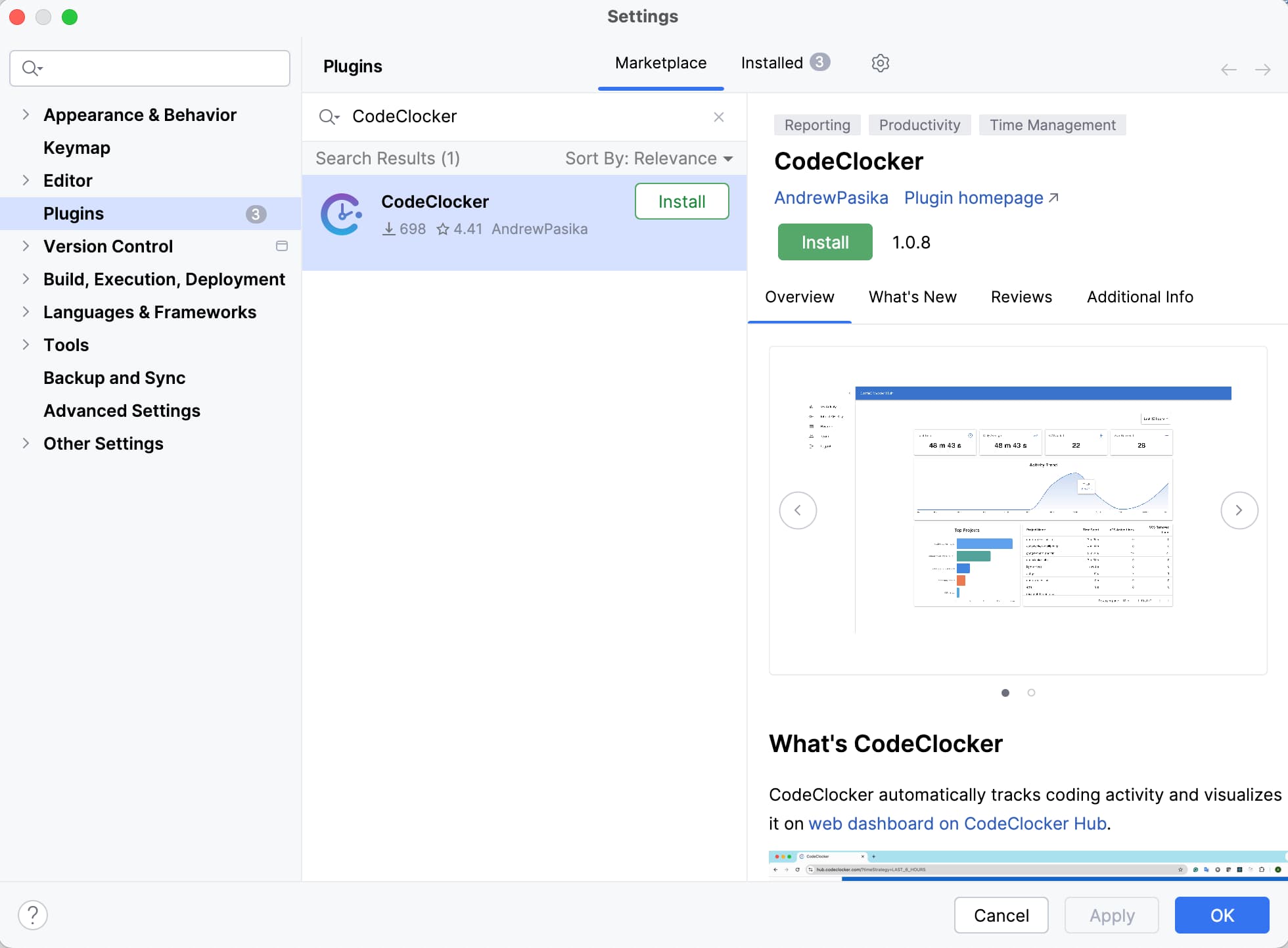
Install from IntelliJ Marketplace

Search for "CodeClocker" in your IDE's plugin marketplace (Settings → Plugins → Marketplace) and click Install. The plugin starts tracking immediately - no configuration required.

Install CodeClocker from IntelliJ Marketplace

Install CodeClocker from the marketplace

Optional: Connect to CodeClocker Hub

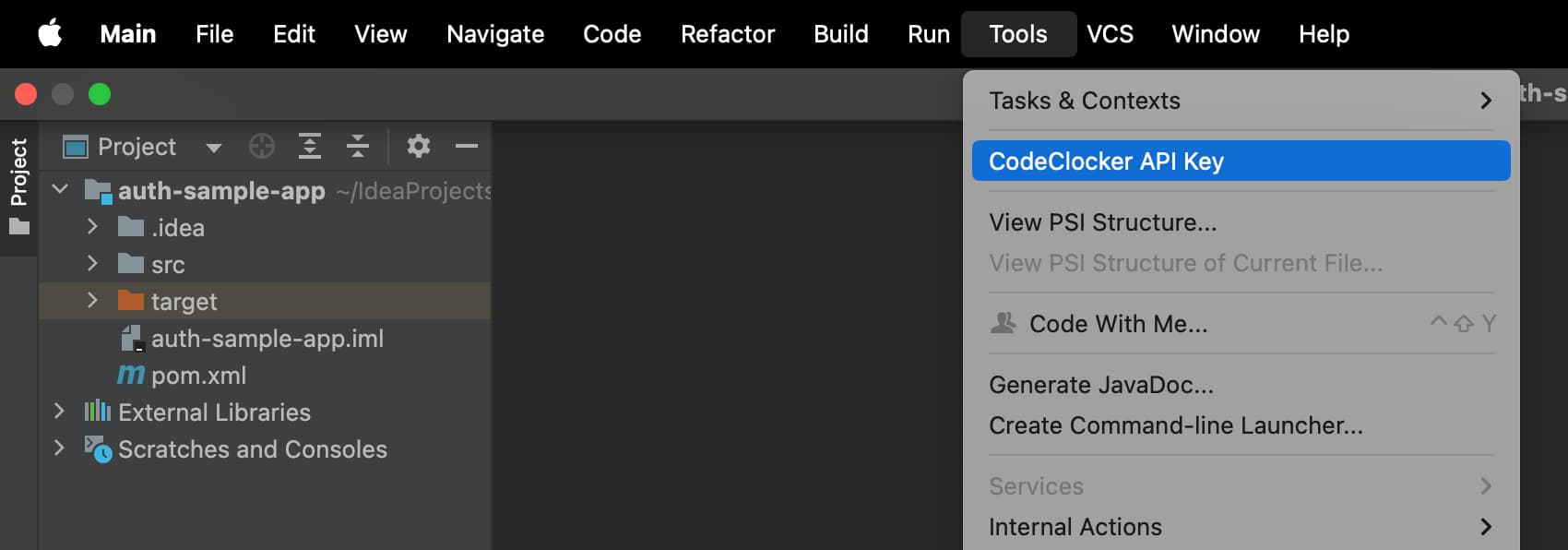
Want to visualize your coding stats on the web? Register on CodeClocker Hub to get your API key and unlock interactive charts, historical trends, and detailed analytics.

Access the API key settings through Tools → CodeClocker API Key.

CodeClocker API Key configuration

API Key configuration menu

Works with All IntelliJ-Based IDEs

Click your IDE to learn more

Built for Individuals & Teams

Whether you code solo or collaborate with a team, CodeClocker Hub has you covered

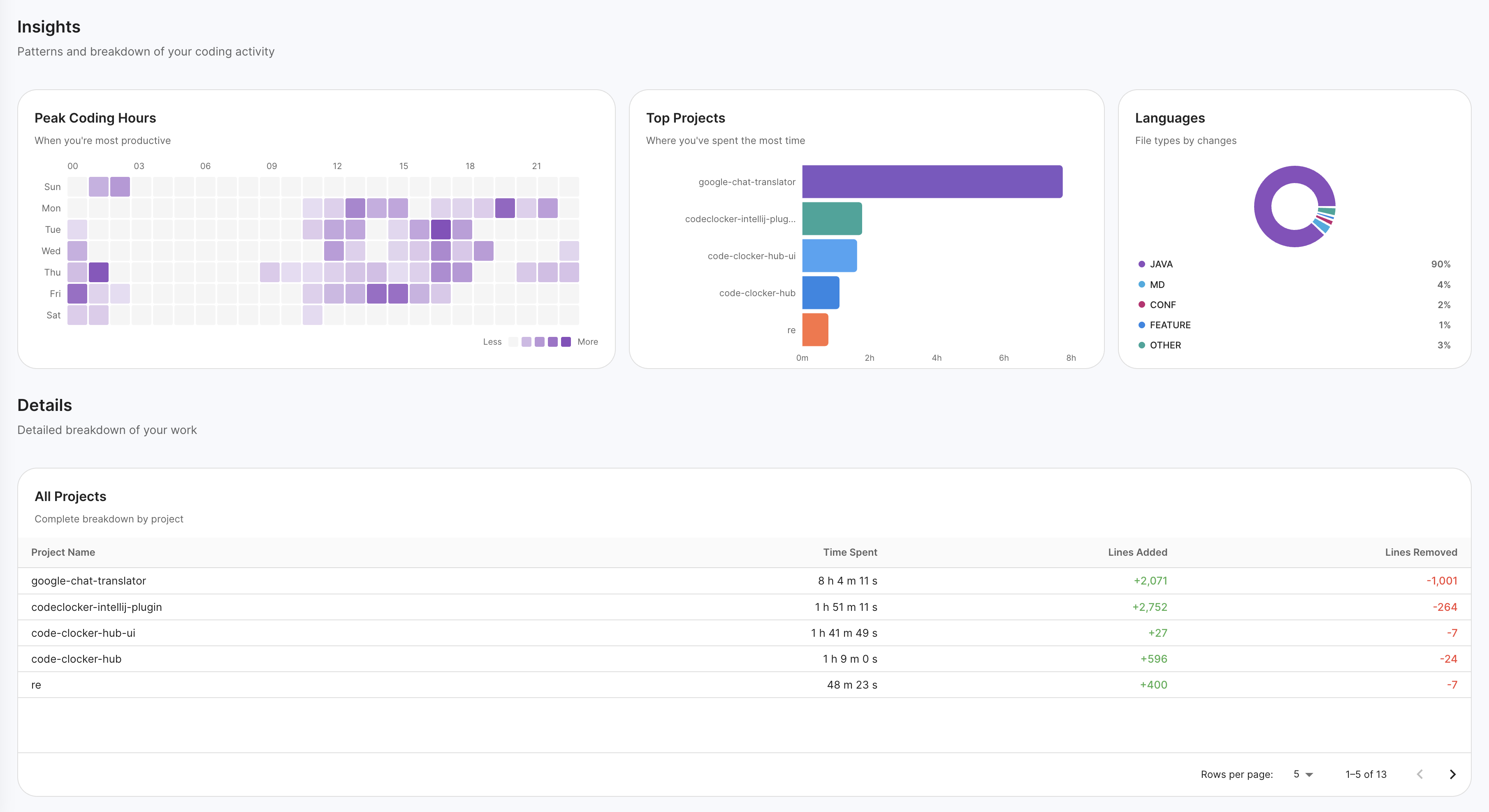
CodeClocker Personal Dashboard

For Individual Developers

Permanent Data Storage

Never lose your coding history. Hub stores all your data permanently so you can track progress over months and years.

Interactive Dashboard

Beautiful charts and visualizations show your coding patterns, productivity trends, and project breakdowns.

Access Anywhere

View your stats from any browser. No need to have your IDE open to check your progress.

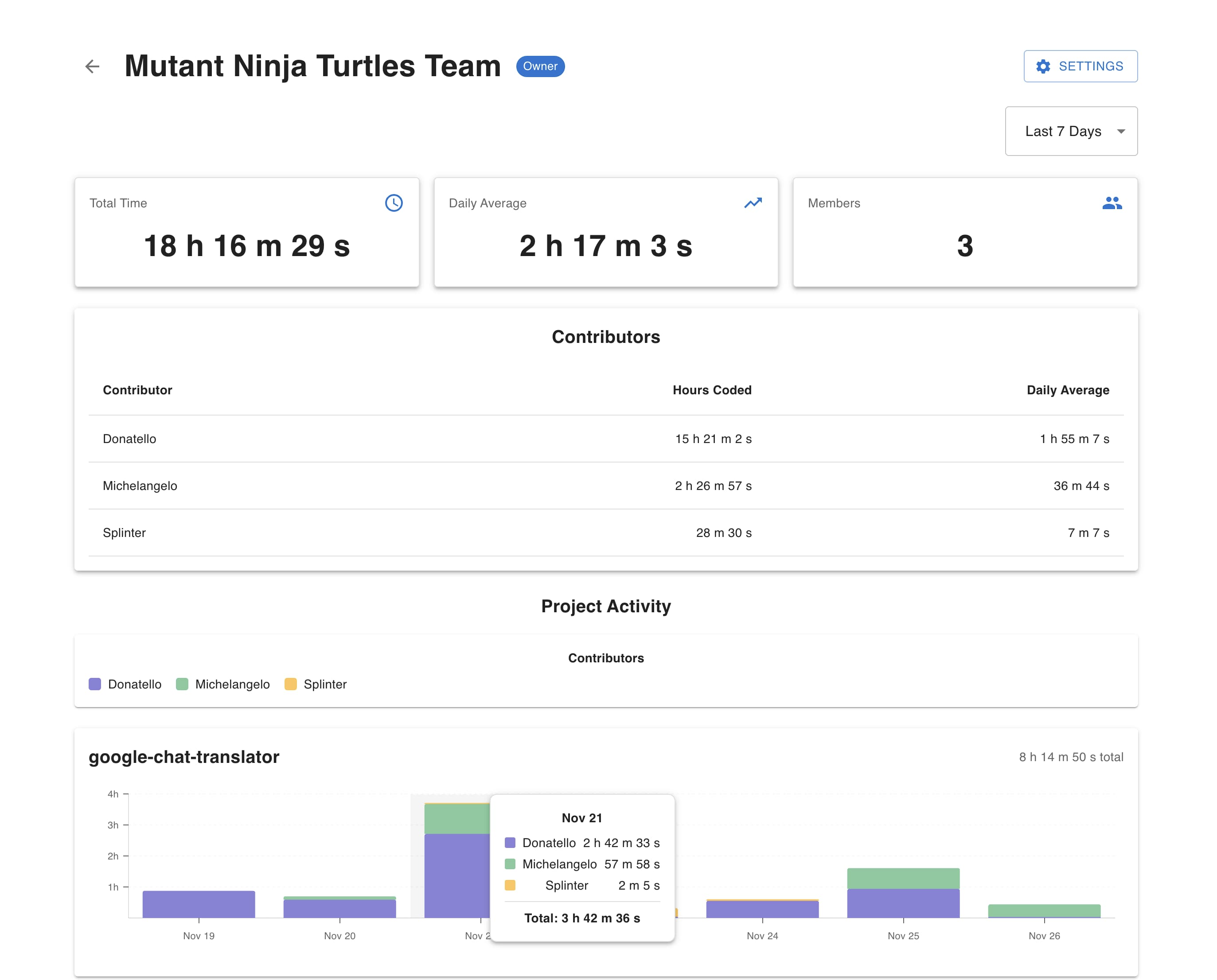
CodeClocker Team Dashboard

For Teams

Team Dashboard

Get a bird's-eye view of your team's coding activity. See total hours, daily averages, and member contributions.

Contributor Insights

Track individual contributions with detailed breakdowns. See hours coded and daily averages for each team member.

Project Activity Charts

Visualize who contributed to which projects and when. Color-coded charts show effort distribution over time.

Start with the free plugin, then connect to Hub when you're ready to preserve your data and unlock the full experience.

Explore CodeClocker Hub

Plugin Features

Everything you need right inside your IDE — no account required

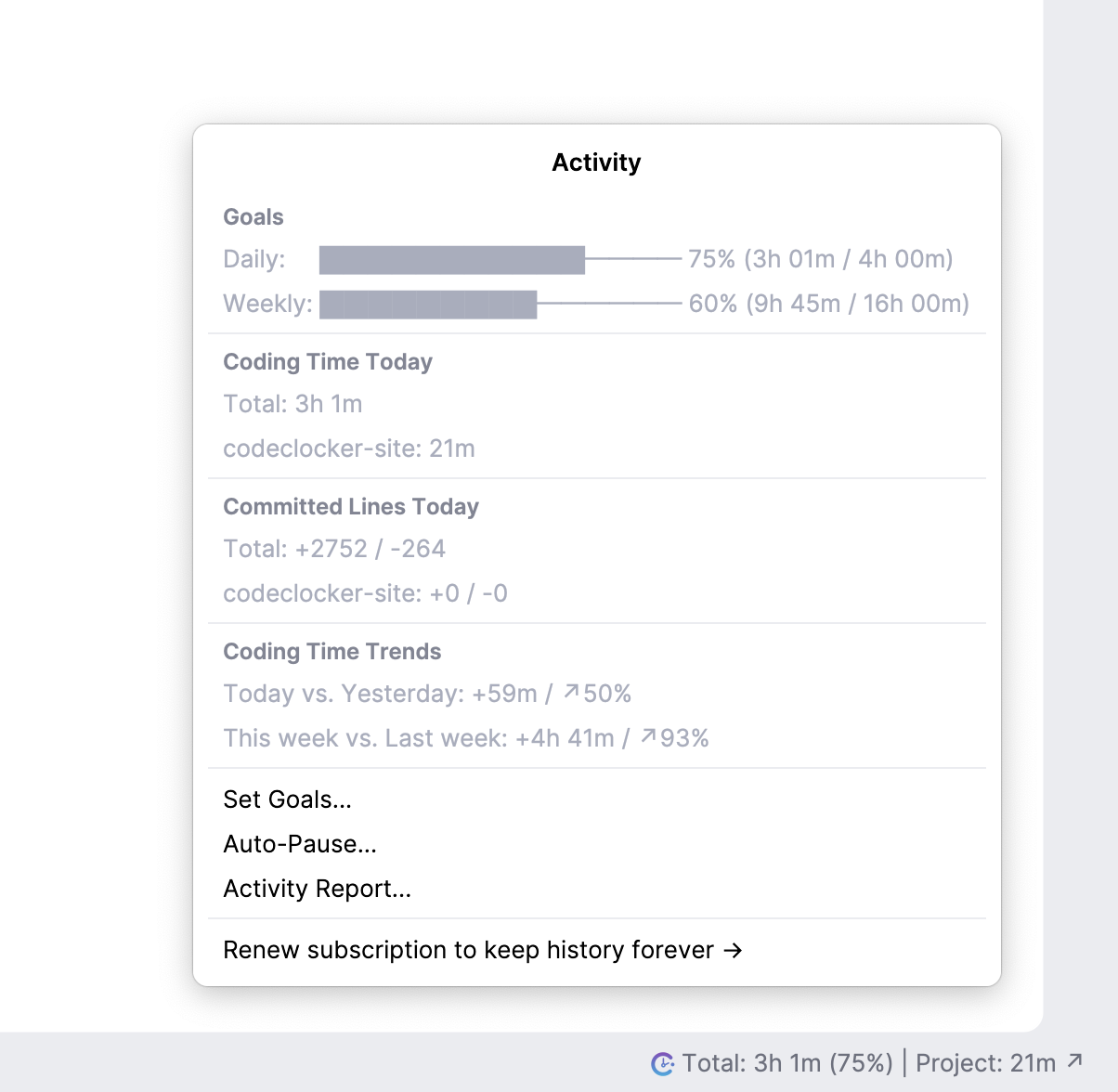
Activity Dashboard

Get a comprehensive view of your coding activity directly in your IDE. Track daily and weekly progress with visual indicators, monitor time spent per project, and see your VCS contributions at a glance.

  • Real-time coding time tracking
  • Per-project time breakdown
  • VCS lines added/removed stats
  • Daily and weekly trend comparisons
CodeClocker Activity Dashboard

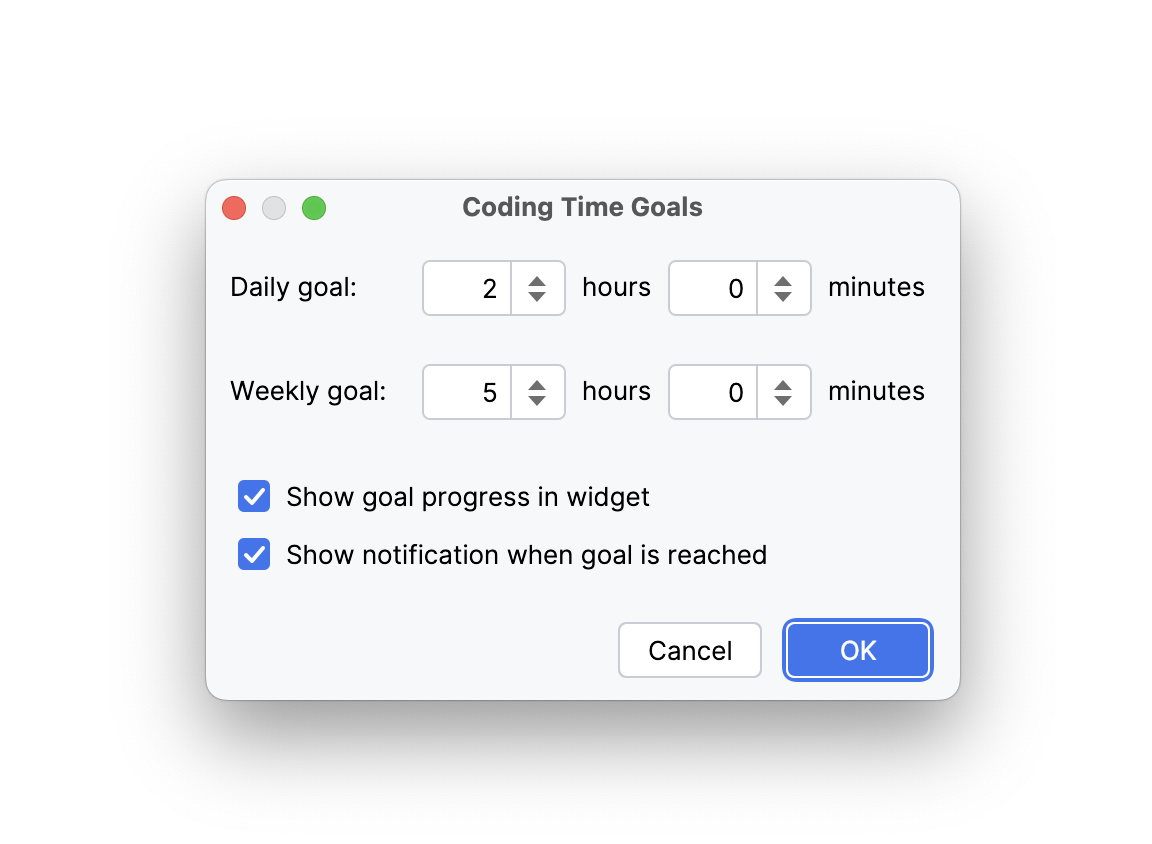
Daily & Weekly Goals

Set personalized coding time goals to stay motivated and build consistent habits. Configure daily and weekly targets, track your progress in the status bar, and celebrate when you hit your milestones.

  • Customizable daily and weekly targets
  • Progress tracking in status bar widget
  • Visual progress indicators
  • Flexible goal configuration
CodeClocker Goal Settings

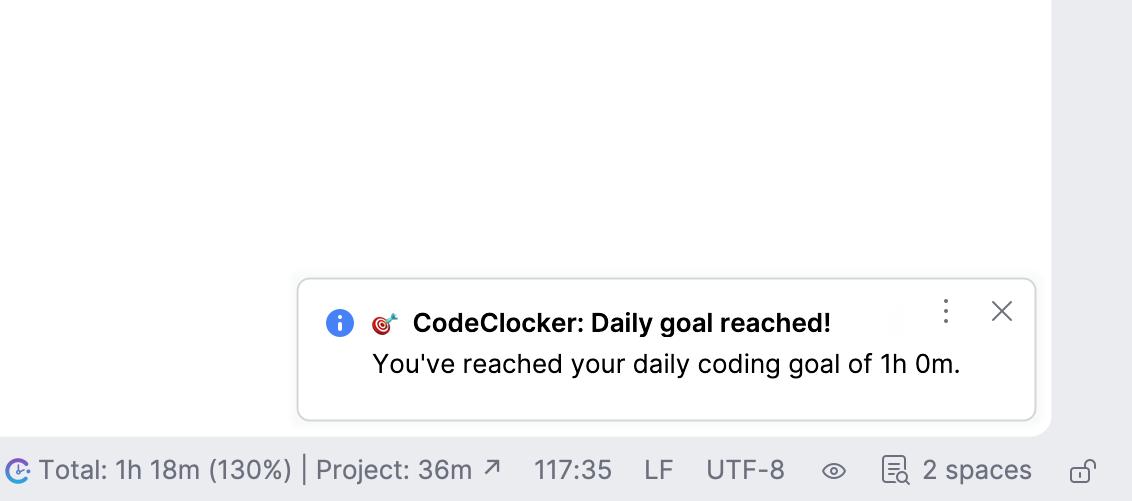
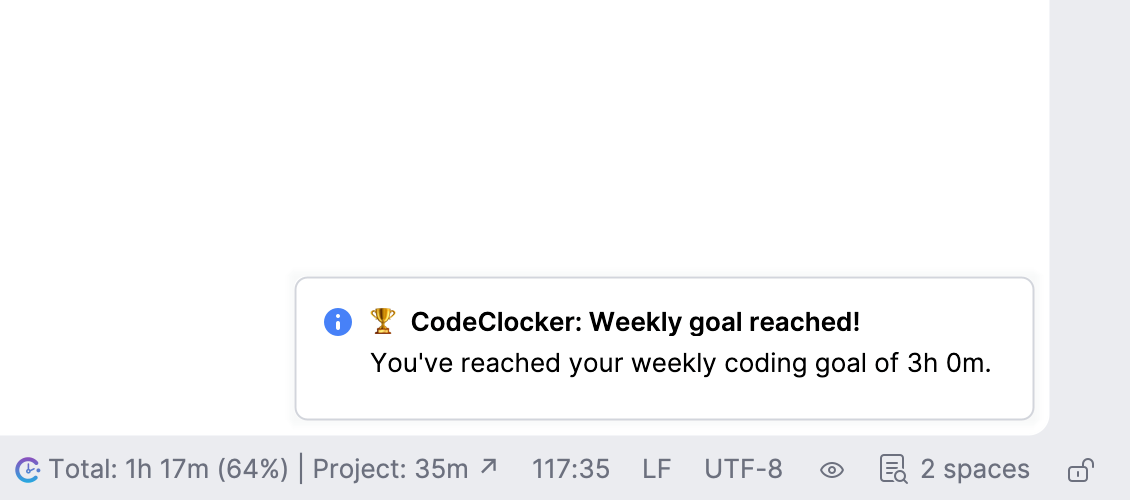
Goal Achievement Notifications

Receive instant notifications when you reach your coding goals. Get notified separately for daily and weekly achievements, helping you stay motivated and aware of your progress throughout the week.

  • Daily goal completion alerts
  • Weekly goal celebration notifications
  • Non-intrusive IDE notifications
  • Optional notification settings
Daily Goal Notification Weekly Goal Notification

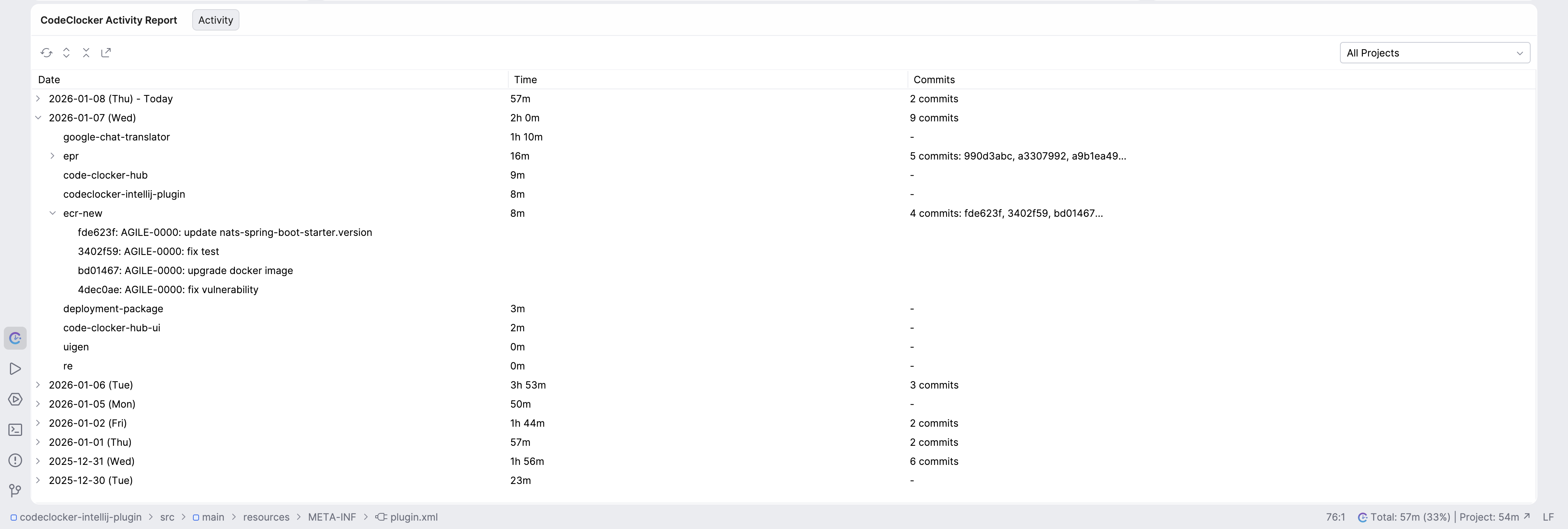
Activity Report Tool Window

Access a detailed activity report directly in your IDE. View your coding history in a tree-table format with daily summaries, hourly breakdowns, and commit details. Filter by project or see all activity across your entire development workflow.

  • Tree-table view with expandable daily summaries
  • Hourly breakdown with branch information
  • Commit history linked to coding sessions
  • Filter by project or view all activity
CodeClocker Activity Report Tool Window

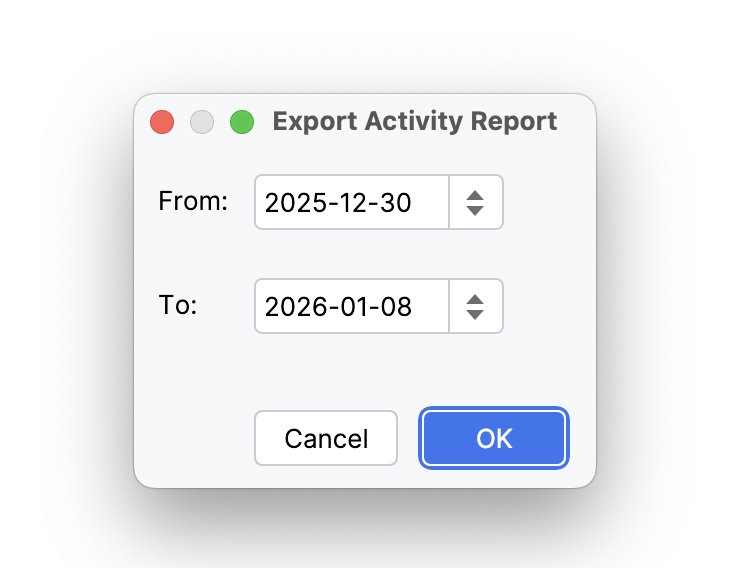
CSV Export for Invoicing

Export your coding activity to CSV format for easy invoicing and time reporting. Select a date range and generate detailed reports that include project names, branches, hours worked, and commit references.

  • Custom date range selection
  • Detailed breakdown by project and branch
  • Perfect for freelancer invoicing
  • Include commit references for proof of work
CodeClocker CSV Export

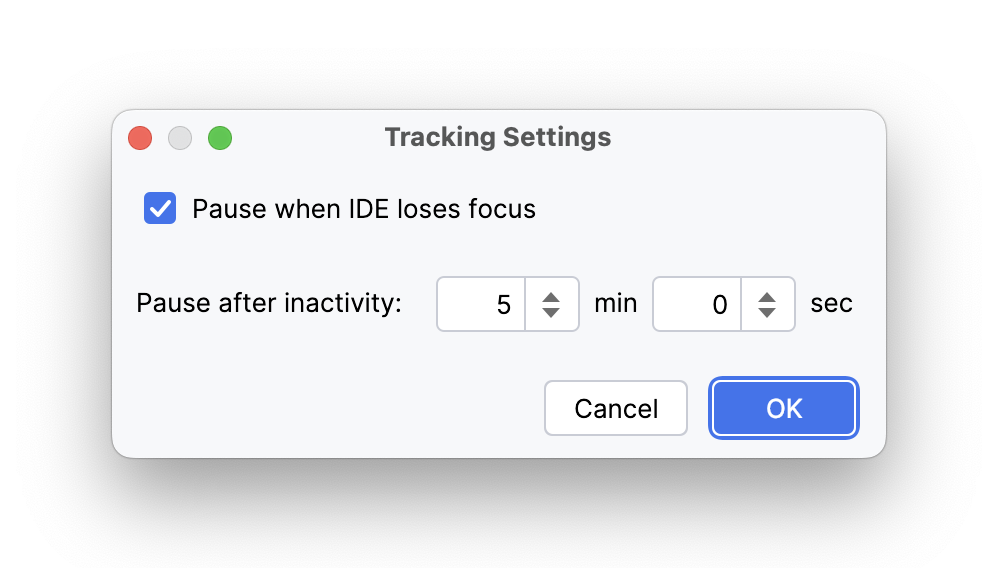
Smart Auto-Pause

Configure intelligent auto-pause settings to ensure accurate time tracking. The plugin can automatically pause when the IDE loses focus or after a period of inactivity, preventing idle time from being recorded.

  • Pause on IDE focus lost (optional)
  • Customizable inactivity timeout
  • Automatic resume when you return
  • Accurate time tracking without manual intervention
CodeClocker Auto-Pause Settings

Why CodeClocker is Right for You

Optimize Your Coding Habits and Workflow

  • Personal Productivity Stats: Gain insights into how you spend your coding hours, including time spent on different projects and tasks.
  • Detailed Coding Patterns: Identify peak performance hours and breaks to schedule your most challenging tasks for optimal efficiency.
  • Goal Tracking: Set coding goals and measure progress to improve consistency and stay motivated.
  • Historical Performance Analysis: View past performance trends and identify areas where you can improve productivity.
  • Distraction Alerts: Detect gaps or frequent task switching to reduce interruptions and improve focus.
  • Seamless Integration: Enjoy an effortless setup with the IntelliJ IDEA plugin and automatic syncing with CodeClocker platform.

Pricing

Free

$0 / forever

Full-featured local tracking

  • All tracking features in IDE
  • Activity Report tool window
  • Branch & commit tracking
  • Goal setting & notifications
  • CSV export for invoicing
  • 30-day history stored locally
Get Started

Monthly

$5 / month

Billed monthly

  • Everything in Free
  • Permanent history storage
  • CodeClocker Hub web dashboard
  • Interactive charts & analytics
  • Weekly trend comparisons
  • Unlimited export range
Get Started

Ready to Transform Your Development Workflow?

Install CodeClocker today and start tracking your productivity